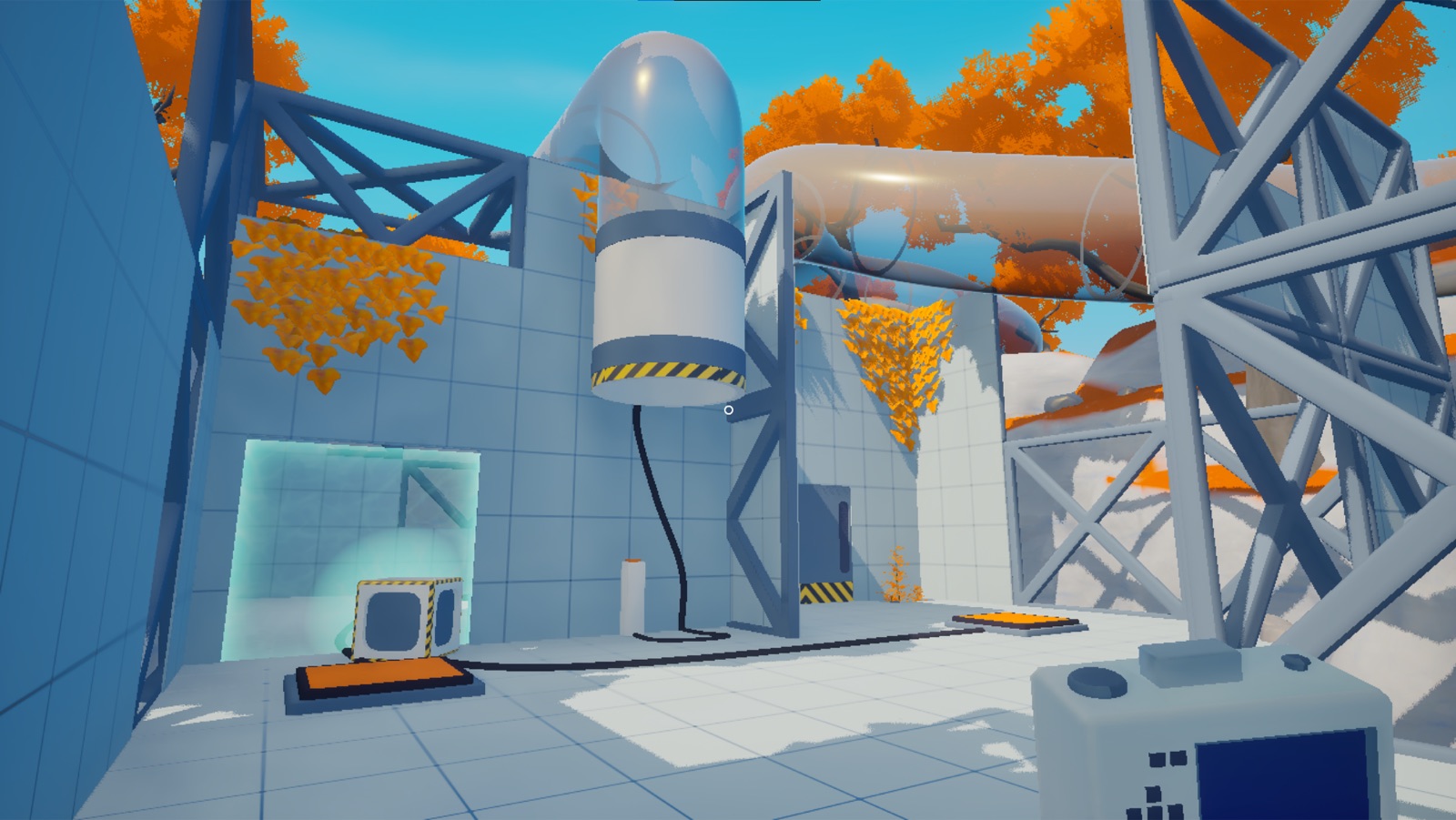
Two orange floor buttons sit in the same Snapstop test chamber, with a door and a hanging object beyond them. The camera can catch all of it. That is inconvenient when one button needs to stay active and the other needs to stop.
Leave a button outside the photograph and it keeps running. Catch it in the shot and it can freeze with everything else. The useful part of the room may be the sliver the player refuses to photograph.
The current itch.io page describes doors, buttons and physics objects that can be paused with a camera. The first development log explains the important revision: an earlier version used a line trace from the middle of the screen, but the developer changed it so everything in view could be affected at once.
That wider power immediately reached back into the levels. The developer found that a player could stand where several floor buttons were visible and activate all of them indefinitely, so some buttons had to be separated by line of sight. A camera mechanic had become a wall-placement problem.
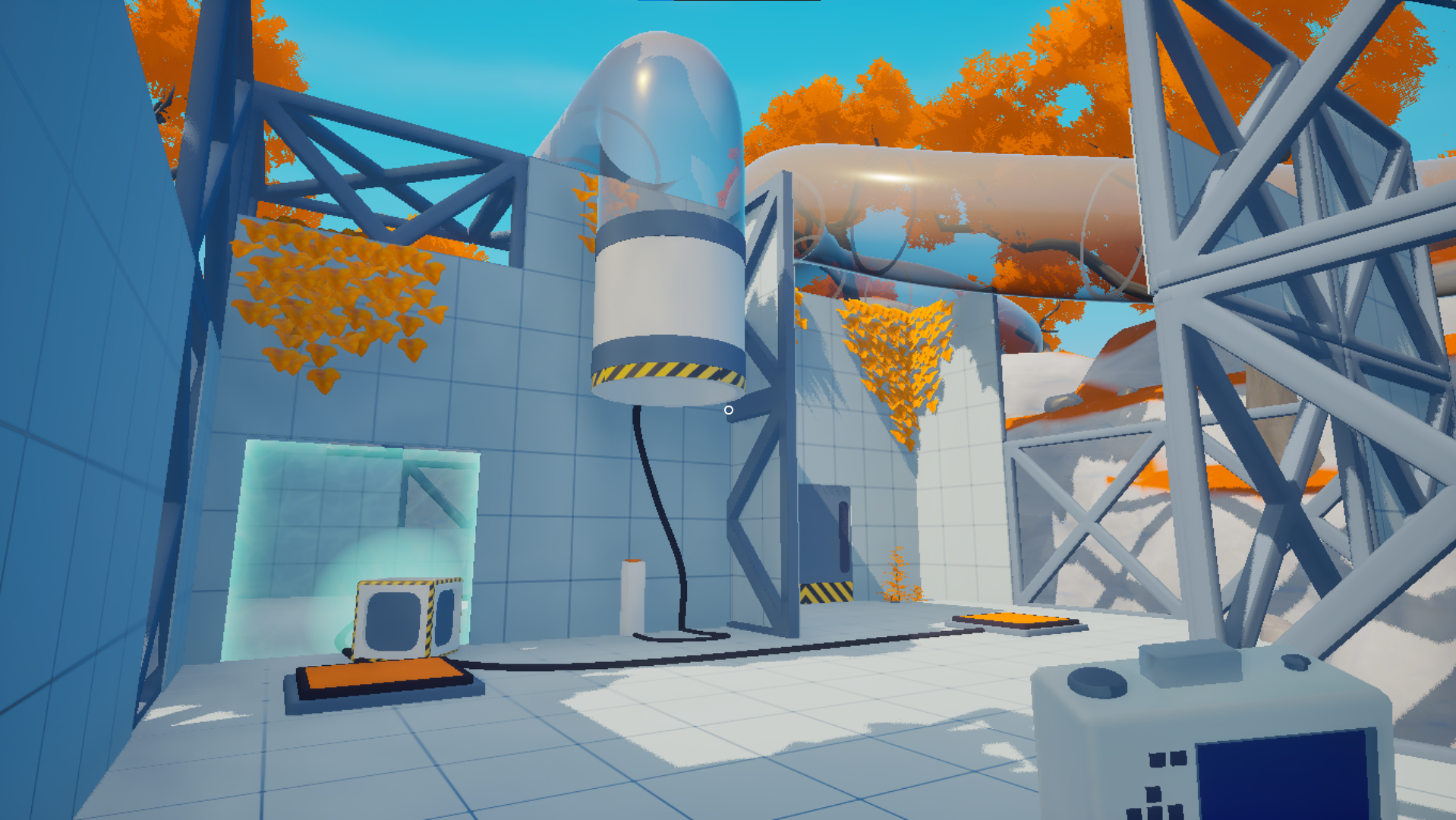
The room has to separate what the camera combines
The earlier line-trace version could aim at one object in the middle of the screen. A room might look busy, but the camera still reduced it to a row of isolated targets: find the right one, put it under the crosshair, click.
Once the whole view can pause, every position offers a different group. The player chooses that group with their feet and the camera border. The designer chooses which groups are possible by arranging walls, offsets and open sightlines.
Walking sideways can now separate two buttons that overlapped from the previous angle. A wall can hide one while leaving the other exposed. The April camera update added zooming specifically so a player can push an unwanted object beyond the border of the shot.
The time states also have consequences after the shutter closes. The first log says a paused jump pad stops functioning, and an object flung by a pad retains its velocity when time resumes. The photograph can therefore hold an object between launch and landing while another part of the room continues to operate.
A photograph chooses a timeline, not a target
A photograph does not simply disable machinery. It leaves the cropped-out machinery alive. Step sideways, move closer or tighten the zoom and the same room divides differently without opening a target list.
That gives a wall more work than merely blocking movement. Put it between two buttons and the player must hunt for an angle. Move a launch pad above the wall and the photograph can catch the object in flight without necessarily catching the machine that sent it. The room can change the puzzle by changing what one shot contains.
The edge of the frame cannot be vague
The frame can become fussy instead of clever. If each puzzle asks the player to shave one unwanted object off the edge of the screen, zoom turns into a sorting control and the physical room starts to feel incidental.
The inclusion rule also has to be legible. An object near the border must clearly count as inside or outside the photograph. Otherwise a failed solution looks like imprecise aiming, even when the intended challenge is spatial planning.
Level geometry carries the larger risk. Separating every useful object with a wall would prevent accidental group freezes, but it would also remove the pleasure of finding an angle that almost catches both. Snapstop needs rooms that permit several plausible photographs while refusing the one photograph that solves everything.
Snapstop is aimed at players who like treating a first-person room as a machine rather than a backdrop. Its design problem fits inside the viewfinder: how many different useful photographs can one room support before the player is merely trimming objects out of view?
Sources
Find Snapstop on itch.io
See the current game page, screenshots, and download details.