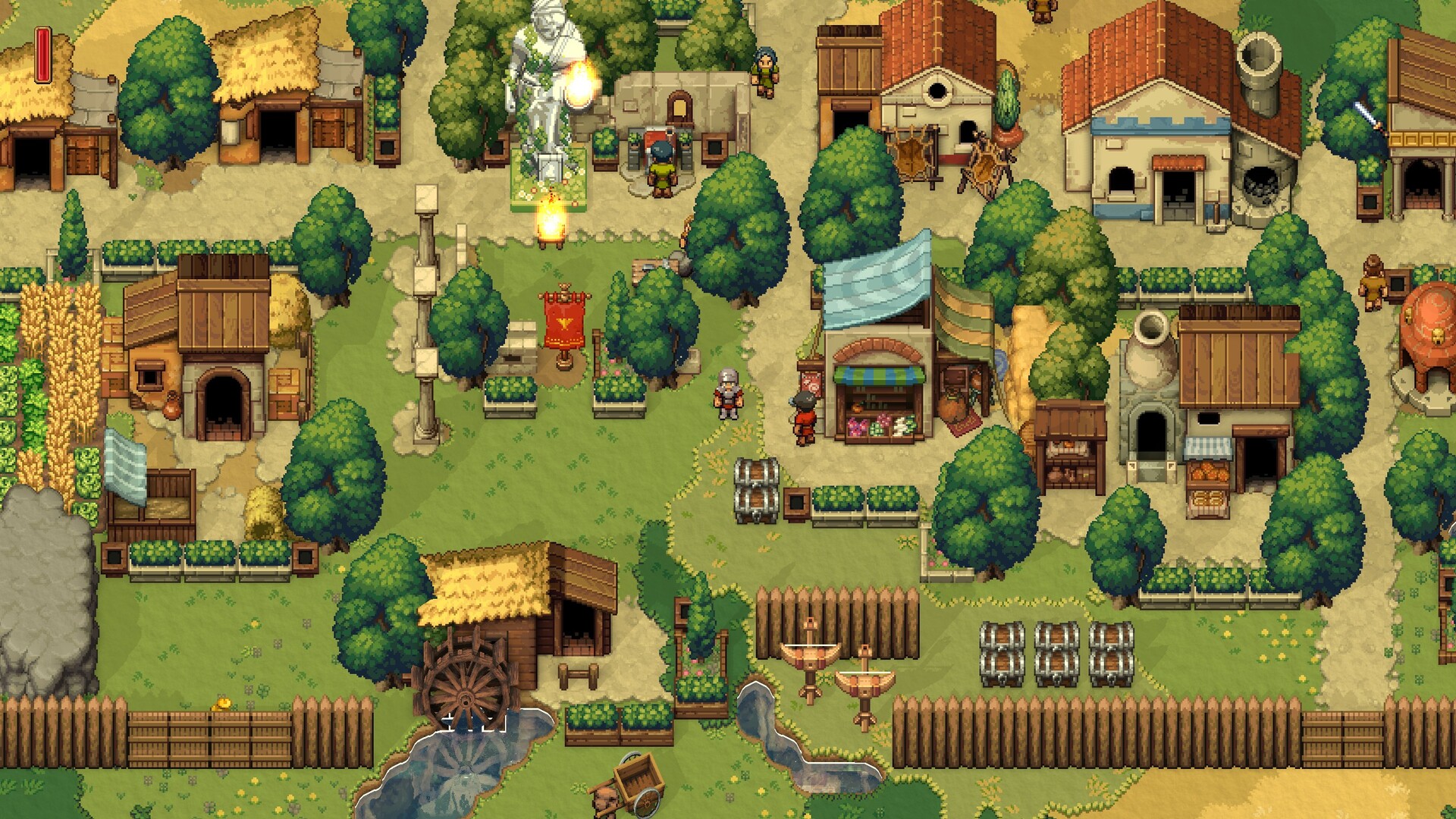
The settlement view makes the distance between storage, work stations, and active jobs visible.Steam
When the settlement is busy but not stable, name the stalled layer first: hauling, layout, crafting, co-op roles, night defense, god progression, boss prep, or update-sensitive route timing.
Match the Problem to the Route
If the settlement problem is...First diagnosisRelated guideDo not chase yet
The first day feels scattered.The base has no compact route or visible priority order.Beginner GuideBoss prep, gods, or automation before the town can recover.
Resources exist but work still stalls.Materials are too far from the job that consumes them.Resource HaulingMore gathering into the same messy pile.
Storage looks full but unreadable.Inputs, outputs, expedition returns, and emergency supplies are mixed.Base Layout PriorityNew stations before the current route is readable.
A station is built but idle.The station lacks a repeated input route or output destination.Crafting StationsCalling the station bad before checking the supply loop.
Night turns a good day into cleanup debt.The reset call is late, tools are scattered, or defense supplies are unclear.Night DefenseLong expeditions with no turn-back rule.
Co-op players are busy but progress is slow.No player owns the next objective, hauling loop, or reset call.Co-op RolesAdding more jobs before assigning ownership.
Solo feels safe but slow.The route needs fewer open tasks and a tighter reset loop.Solo vs Co-op RouteCopying a co-op split into a solo run.
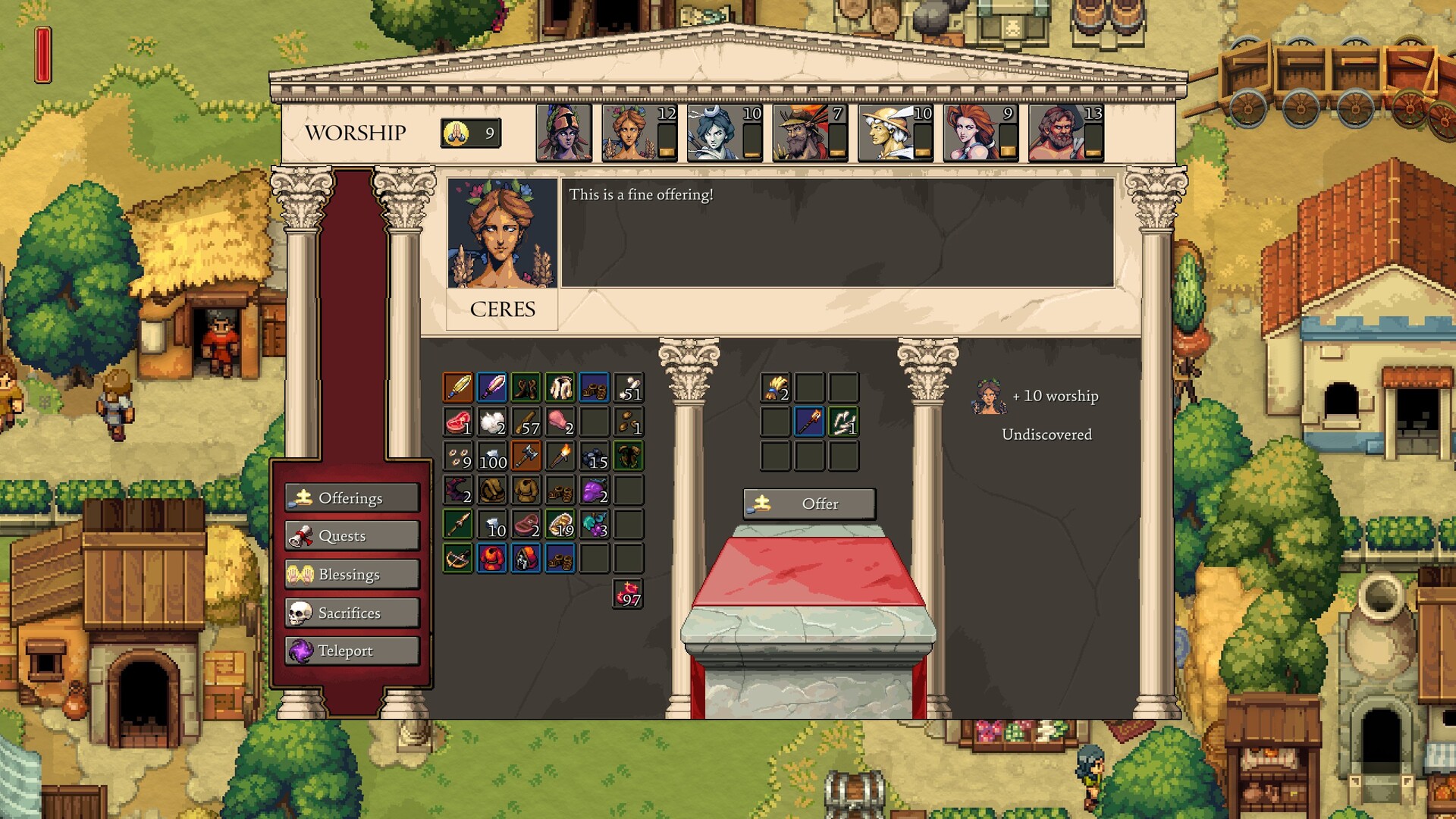
God progress is available but the town is unstable.Offerings, sacrifices, or boss gates are pulling resources away from the base loop.God ProgressionDivine objectives before the base supports them.
The first boss route opened.The settlement must survive a failed attempt before the attempt is worth taking.First Boss PrepTreating the boss as pure combat instead of a base stress test.
Read One Full Day Cycle
At the start of a day, after a failed night, or before a boss or god push, identify the first layer that breaks before adding a new objective.
The offering screen separates faith spending from the physical work happening around the settlement.Steam
Name the current objective. Building, crafting, hauling, defense, god progress, boss prep, or exploration should not all be the priority at once.
Find the nearest repeated walk. If players keep walking the same material path, move storage or create a handoff point.
Check the active station. If it waits for input, output space, or player interaction, solve that before opening another station.
Call the reset before night pressure. Bring tools, food, and important resources back while there is still time to read the base.
After the cycle, decide what actually failed. Do not blame combat if the route failed because food, storage, crafting, or player roles were unclear.
RocksEarly construction, station support, and settlement upgrades.Keep near the active build site or crafting chain using them.Leaving piles far from the job that consumes them.
LumberBuilding, repairs, station work, and repeated town expansion.Separate construction lumber from expedition clutter.Gathering more before the current build has a readable supply route.
Food suppliesDaily recovery, worker stability, and safer exploration cycles.Keep close to the town core before long trips.Pushing exploration while basic recovery is unstable.
Craft inputsFeed artisan stations and gear progression.Store beside the station that repeatedly consumes them.Mixing raw inputs and finished outputs in one pile.
Expedition returnsNew materials, route unlocks, and next-objective clues.Use one return zone so the base lead can sort priorities.Every player dropping items in a different place.
Crafting and Station Priority
Station / systemUse it whenNeeds before it worksRead next
Basic survival loopThe town is still losing time to food, tools, or daily recovery.Short routes, visible storage, and a night reset plan.Beginner Guide
Crafting stationA specific gear, repair, boss, god, or biome blocker needs output.Input pile, output pile, and one assigned worker loop.Crafting Stations
Storage / hauling routeMaterials exist but station work still stalls.A shorter handoff between gatherer, hauler, and station.Resource Hauling
Co-op role splitSeveral players are busy but the town is not improving.Base lead, hauler, crafter, explorer, and reset caller for one cycle.Co-op Roles
God progression supportOfferings, sacrifices, bosses, or divine route gates are blocking progress.Stable economy and a clear next divine objective.God Progression
Solo, Co-op, and Boss Prep Diagnosis
Route modeFirst riskNext moveGuide
SoloToo many open jobs and no time to reset.Close one objective before opening another: storage, station, food, or exploration.Solo vs Co-op
2-3 player co-opEveryone helps the same job while hauling or defense is ignored.Assign base, hauler, and objective owner for one day cycle.Co-op Roles
Large co-opMore players create more piles and unclear priorities.Use one caller, one return zone, and named station/storage ownership.Base Layout
First boss prepThe group reaches the boss but returns to a broken base.Prep food, gear, route timing, return zone, and retry recovery first.First Boss Prep
Biome/god pushProgression route consumes the resources needed to keep the settlement stable.Turn the next divine or biome gate into one concrete supply task.Biomes and Bosses
When an Update Moves the Bottleneck
If a Romestead hotfix changes how the old route feels, identify the first layer that moved and keep the rest of the settlement intact.
If an update affects...Adjust firstWhyUpdate guide
Logistics Tent, storage, gates, task priority, or citizen behavior.Automation timing and base layout.A helper system only saves time if storage and routes are already readable.Hotfix 0.25.1_7
Food value, citizen hunger, crops, dungeons, bosses, or animal pressure.Beginner route, night defense, and boss prep.Pressure changes can make an old exploration or boss push too greedy.May 27 Hotfix
Early Access systems, gods, biomes, co-op, or crafting depth.Settlement planning before progression pushing.A broad system change can reorder progression goals without making every expansion urgent.Early Access Launch
Do This Before Opening Another Objective
The fastest way to lose a Romestead settlement is to treat every problem as a reason to
expand. Before you open a new biome push, god step, station chain, or boss attempt, pause
for one cycle and ask which layer would still fail if the new objective succeeded.
Before you push...Check this firstIf it fails, read
A new crafting chainDoes one repeated input path already reach the station?Crafting Stations
A longer exploration tripCan the town reset before night without that player?Night Defense
A god or boss objectiveCan the base recover if the attempt only partly succeeds?First Boss Prep
Automation or Logistics Tent timingIs there one clean repeated job for automation to improve?Automation Readiness
30-Second Diagnosis
SymptomLikely blockerFirst action
Station is built but idle.Inputs are missing, too far away, or mixed into clutter.Move the next repeated input beside that station.
Co-op group feels chaotic.No one owns the current objective.Assign one base lead and one hauler until the next craft finishes.
Night defense starts messy.Tools and resources are scattered before danger.Call the reset earlier and bring key resources home.
God progress stalls.Crafting and resource routes are not tied to the divine objective.Turn the next god step into one concrete supply task.
Boss route opens but the base is fragile.The team is treating progression as combat only.Prep recovery, gear support, return timing, and a failed-attempt reset.